Free VPN for Android TV: Complete Guide to Safe Streaming
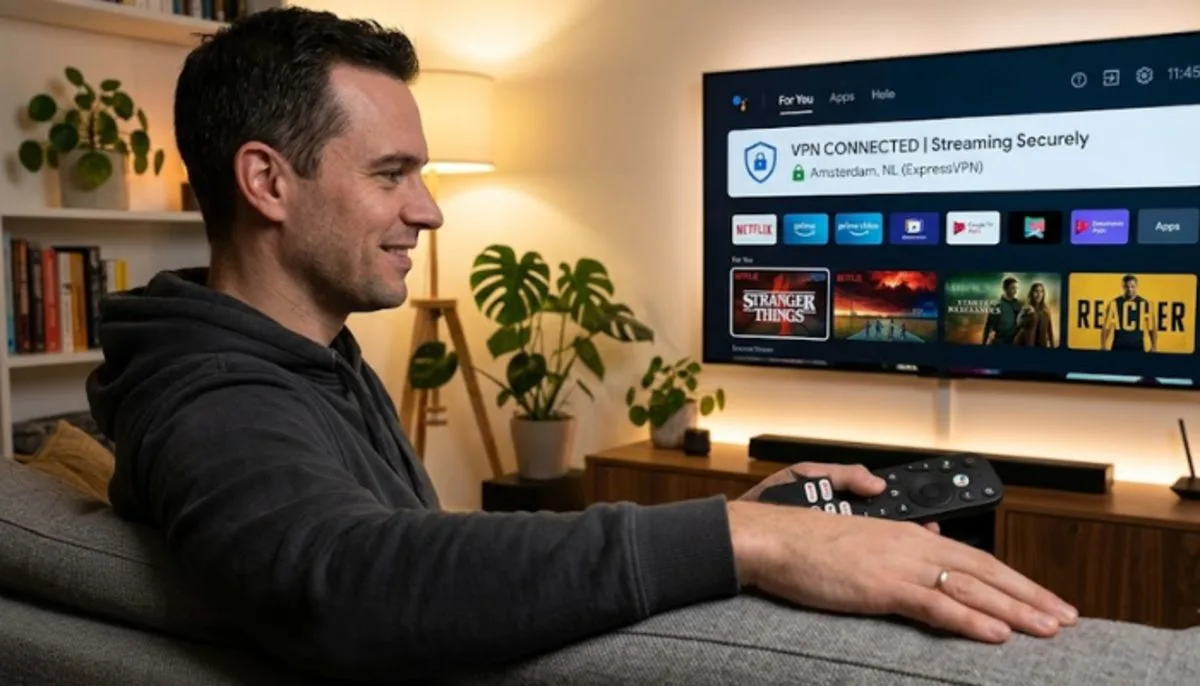
Android TV owners will be familiar with the satisfaction of watching their preferred TV shows on the large screen. But have you thought about your online privacy while streaming? A VPN can help. It conceals the web sites that you visit and permits you to surf from other countries. But not everyone desires to pay for a VPN service. That is why many people search for a free VPN for Android TV.
These services provide very limited protection and access and come with no monthly fees. However, it is not always simple to discover a secure and quick one. This article will equip you with the knowledge you need to know about what to look for and how to pick a trustworthy free VPN for your gadget.
Why Use a VPN on Your Android TV?
Your Android TV is more than just a screen for watching movies. It connects to the internet, just like your phone or computer. When you use the internet, your IP address can be seen. This is a number that identifies your location. Using a VPN hides your real IP address. This makes it much harder for companies or others to track what you watch and do online .
A VPN also protects your data. When you connect to a server, the VPN uses strong security to scramble your data . This means that anyone trying to intercept your information will only see gibberish. This is very important if you are using public Wi-Fi, though that might be less common for a TV.
Another big reason people use a VPN is to access more content. Some movies and shows are only available in certain countries. A VPN can make it look like you are in a different location. This lets you watch content from all over the world right on your TV. For the best streaming experience, you want a VPN that is fast and has servers that are good for watching video .
Read More: 7 Best Budget Android TV Boxes Under $100 in 2026
What to Look for in a Good Free VPN?
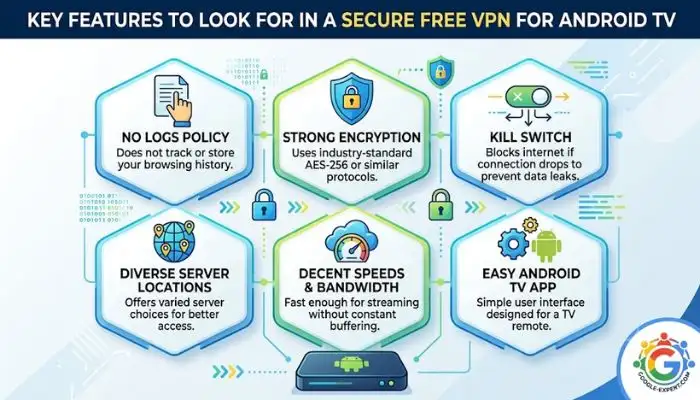
Finding a good free VPN can be tricky. Some free services are not safe and might even steal your data. It is very important to do your research before you download one . Here are the key things you should check.
1. Safety and Security
First and most importantly, the VPN must be safe to use. Check to see if it uses well-known security tools like OpenVPN, WireGuard, or IKEv2 . If you have antivirus software, you can try to scan the VPN app with it before you install it. This can help catch any hidden problems .
2. Privacy Policy
Read the VPN's privacy policy. This document tells you what they do with your data. A good free VPN will have a strict "no-logs" policy. This means they do not track or keep a record of your internet activity. Be careful of "ad-supported" free VPNs . Often, they make money by tracking you and selling your data to advertisers. You should also stay away from any VPN that might sell your IP address or internet connection to others .
3. Speed
A fast internet connection is key for watching shows without buffering or lag. When you use a VPN, your speed may slow down a little. A good free VPN should not slow your speed by more than 25 percent . You can test the speed yourself. Connect to the VPN and then run an internet speed test on your TV.
4. Data Limits and Location Choice
Many free VPNs have limits. Some limit how much data you can use in a month. Others do not let you choose which server location to connect to. They pick the fastest one for you . If you want to stream a lot of content, look for a free VPN with unlimited data. Also, being able to pick your own server location is very helpful for unblocking content from specific countries.
5. Customer Support
Some free VPNs don't offer good customer help. If you are new to using a VPN, you might need help setting it up. It is better to pick a service that has clear instructions and guides available . A good knowledge base of articles can be a lifesaver.
Top Recommendations for a Free VPN on Android TV
Based on expert reviews and user feedback, a few free VPNs stand out as safe and reliable choices. They are transparent and work well for streaming .
hide.me
hide.me is often called the best free VPN for streaming. Why? It checks all the most important boxes. The free plan has no ads, no monthly data caps, and lets you choose your own server location . You can pick from seven free locations, including the USA, UK, France, and Germany.
This makes it a great choice for watching content from different regions. It is also fast and easy to use. The privacy policy is strong and prevents the company from keeping any record of your activity . hide.me is a good option if you want a consistent and reliable free service for your Android TV.
Windscribe
Windscribe is another excellent free VPN. It offers a different approach. The free plan gives you 10 GB of data per month if you register with your email. You can also earn extra data by sharing the service on social media . While there is a data limit, it is generous. It also lets you choose from 10 different server locations around the world.
One of the best things about Windscribe is that you can use all its features for free. Nothing is locked behind a paywall . It is a good choice if you stream occasionally and want full access to the app's tools. However, some users find the app design a bit unusual and harder to navigate at first .
Proton VPN
Proton VPN is known for having one of the best paid VPN services. Its free version is also very good. A major plus is that it offers unlimited data, which is fantastic for heavy streamers . However, there is a catch.
The free version does not let you choose your own server location. The app picks what it thinks is the fastest one for you . You can't pick a country to unblock content from a specific region. It is great for basic security and privacy. But if you want to watch a show only available in a certain country, this might not be the best free choice. Proton VPN has a native app for Android TV and is based in Switzerland, a country with strong privacy laws .
Popular VPNs with Android TV Apps
Some VPNs are very popular and have official apps for Android TV. This makes them very easy to install and use.
Planet Free VPN for Android TV is one such app. You can find it directly on the Google Play Store on your TV . It offers features like:
-
A no-logs policy to protect your privacy .
-
Unlimited bandwidth so you can watch without pauses .
-
Servers that are optimized for fast streaming .
The free version gives you access to 5 server locations, while the paid version has over 60 . It has a rating of 4.2 stars on Google Play from over 6,000 reviews . This app is a simple and direct choice. Download it, connect, and start watching.
Another app is X-VPN. This service says you get 100% free VPN access with no registration . This is a major benefit for people looking for a free VPN for Android TV without registration. It also offers:
-
26 free regions to choose from .
-
Unlimited data with no speed limits .
-
A strict no-logs policy .
X-VPN has many security features, including a kill switch. This stops your internet if the VPN disconnects, protecting your data from being exposed .
You May Also Read: How to Stream Live TV on Android TV for Free
How to Set Up a VPN on Your Android TV?
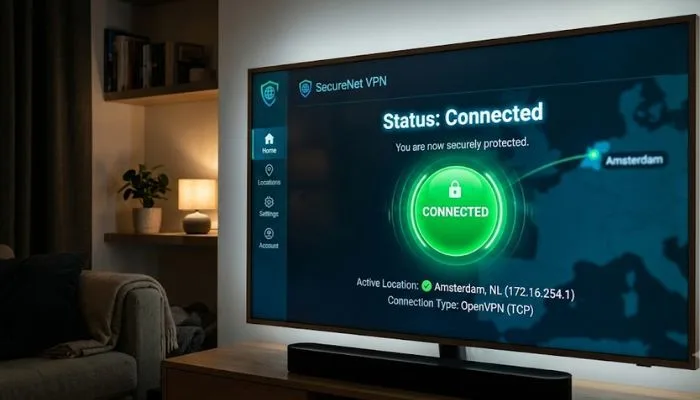
Setting up a VPN on your Android TV is usually very simple. The easiest way is to download a VPN app from the Google Play Store. Here is how it generally works :
1. Find the App
Turn on your Android TV and go to the main menu. Find the Google Play Store app. Use the search bar to look for the VPN you want to use, like "Planet VPN" or "Proton VPN" .
2. Install the App
Select the app from the search results. You will see an "Install" button. Press it to download and install the VPN on your Android TV.
3. Open and Log In
After the installation is complete, you can open the app. You might need to log in. Some apps let you log in by scanning a QR code with your phone . Others will let you create an account right on the TV screen.
4. Connect and Enjoy
Once you are logged in, you will see the main screen of the VPN app. There will usually be a big button to "Connect." Press it, and the VPN will make a secure connection . Some apps let you pick a specific country. You might be able to see how many users are on a server, shown by a "bubble" icon . After it connects, you can open your favorite streaming app and start watching.
A List of Free VPN Apps for Android TV
Here is a summary of some free VPNs that work on Android TV.
| VPN Name | Key Free Features | Important Notes |
|---|---|---|
| hide.me | No data cap; No ads; 7 free locations . | Best for consistent streaming and server choice. |
| Windscribe | 10 GB free per month; 10 server locations . | Good for occasional streaming with a data limit. |
| Proton VPN | Unlimited data; No ads . | Server location is chosen for you, not by you. |
| Planet VPN | Unlimited data; 5 free servers . | Easy to download and use from Google Play. |
| X-VPN | No registration; 26 free regions . | Great if you want to connect instantly without an account. |
Conclusion
Using a free VPN on your Android TV is a smart way to protect your privacy and watch more content. But you have to be careful. Some free VPNs can be risky. Always choose a provider that is known to be safe and honest.
hide.me is a top pick for a free service because it has no data limits and lets you choose your server location . Windscribe is also a strong choice if you can manage with a data cap. For basic security with unlimited data, Proton VPN works well, even though you cannot pick the server.
Apps like Planet Free VPN and X-VPN offer a simple and direct experience. They can be downloaded straight to your TV. When you pick your VPN, think about what is most important to you. Is it unlimited data? The ability to choose a specific country? Or the option to connect without an account? Find the VPN that fits your needs and enjoy a safer, more open world of entertainment on your Android TV.
..webp)