Exclusive Google Features You Should Know: Hidden Pixel Tips and Tricks
There is so much more that your Pixel can do! It is used primarily for calls, text and photos. That is it but buried in the settings are features that change how the phone works. Some save time. Some fix problems you did not know existed. Some are just clever. Learning the exclusive Google features you should know takes a few minutes.
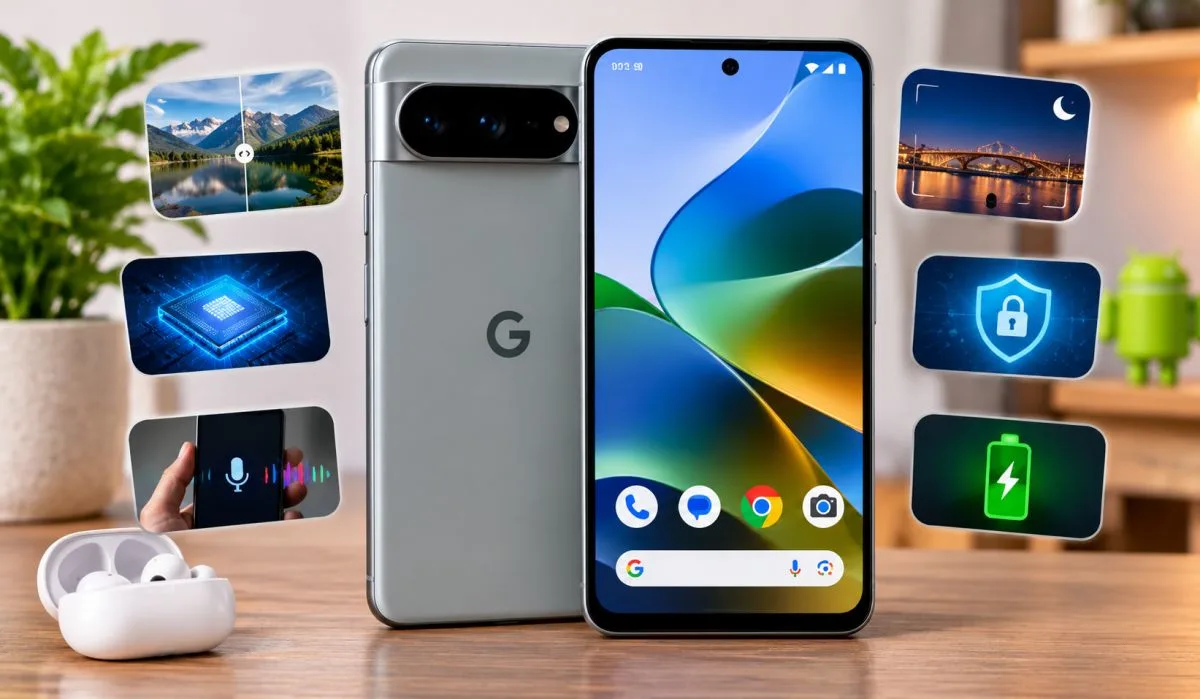
Gemini Intelligence works in the background. Quick Tap opens apps with a double tap. Auto Best Take fixes group photos where someone blinked. Private Space hides sensitive apps. This guide covers the best ones. From camera tricks to hidden gestures. No jargon Just what works and where to find it. Read on and get more from your phone.
Gemini Intelligence: The Proactive Assistant
The biggest shift in 2026 is Gemini Intelligence. It is not just a chatbot you open. It works in the background. It reads your messages, screenshots, and calendar to help before you ask .
How It Works?
During setup, you can enable the feature and choose what it can access. By default, it can read messages and analyze screenshots. It can also link to Gmail, Drive, Calendar, and Maps .
The result is proactive help. You might get a notification telling you to leave ten minutes early for an appointment because of traffic. Or when you call an airline, your flight info appears on screen without you searching for it .
Gboard Rambler
This is a new voice typing tool. Instead of transcribing every "um" and "ah," it captures your intent. You speak naturally. It filters the filler. You get a clean, short transcription. You can then ask it to change the style or expand the text .
Proactive Assistance
Formerly called Magic Cue, this feature suggests actions based on what is on your screen. If someone texts you asking what time your flight lands, a chip appears with your flight number and arrival time. Tap it, and you get a live flight tracker with one-tap reply options .
Read More: How to Use Exclusive Google TV Features for Better Streaming
Pixel Camera Features You Might Miss
The Pixel camera is famous. But most people do not use its best features.
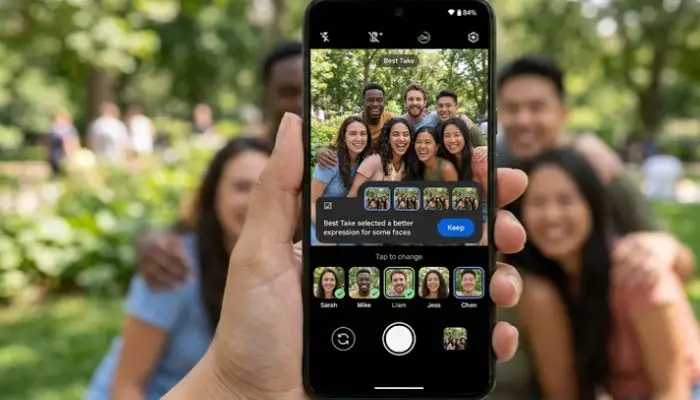
Top Shot and Auto Best Take
Top Shot takes a burst of photos and picks the best one automatically. You just set it to "Auto" in the camera settings .
Auto Best Take goes further. It works on Pixel 10 and later. When you take a group photo, it captures multiple shots. Then it merges everyone's best facial expressions into one perfect image. No more closed eyes or weird faces. It requires Google Photos to work .
Frequent Faces
This feature helps the camera recognize the people you photograph most. It uses that data to recommend better shots of them. All face data stays on your device. It is not sent to Google. On Pixel 6 and later, it also helps the camera show skin tones more accurately .
Sign Language to Text
This is one of the most impressive accessibility features. Google's DeepMind division launched the Sign Language to Text engine in Gemini. It lets deaf and hard-of-hearing users use sign language instead of voice to interact with their phones .
It works during video calls. It translates the user's movements into text for the person on the other end. It is done in real time. It understands the skeletal structure of a person in the frame. It is rolling out first with English. Google says it is 100% free and does not plan to charge for it .
Hidden Gestures and Settings
These are the features buried in menus that most people never find.
Quick Tap
Double-tap the back of your phone to trigger an action. You can set it to take a screenshot, open an app, turn on the flashlight, or launch Gemini. Go to Settings > System > Gestures > Quick Tap .
Smart Auto-Rotate
If you use your phone lying down, random screen rotation is annoying. Pixel solves this with face-aware auto-rotate. The phone checks your face orientation before rotating the display. It works well for late-night scrolling. Go to Settings > Display and touch > Auto-rotate screen .
Notification History
We have all swiped away a notification by accident. Pixel can save your dismissed alerts. Once enabled, you can go back and check what you missed. Go to Settings > Notifications > Notification history .
Adaptive Vibration
Your phone can adjust vibration intensity based on where it is. On a desk, it stays softer. In your pocket or bag, it gets stronger so you do not miss calls. Go to Settings > Sound & vibrations > Vibration & haptics > Adaptive vibration .
Use Your Pixel as a Webcam
Your phone's camera is better than your laptop's webcam. Connect your Pixel to your PC or Mac with a USB cable. Open the notification panel, tap "Charging this device via USB," and select "Webcam." Then choose "Android Webcam" in Zoom, Meet, or Teams .
Private Space
Keep sensitive apps and files hidden. Go to Settings > Security & privacy > Private space. You can set a separate PIN. When locked, the entire section disappears from your app drawer .
HiLight (Pixel 11 Pro)
A ring of colorful LED lights around the camera flash keeps you informed without checking your phone. You can assign custom colors to favorite contacts. A light flashes when they call or message. Go to Settings > System > HiLight .
You May Also Read: Exclusive Google Search Updates 2026: Biggest Changes Ever
Android 17 Features on Pixel
Android 17 rolled out to Pixel devices first. Some features are exclusive or arrive early on Pixel.
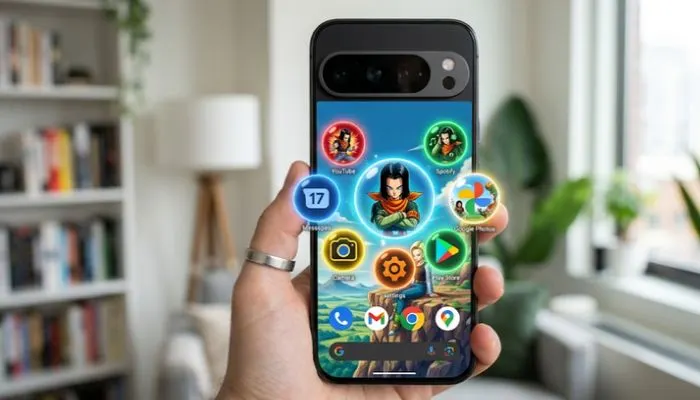
Bubbles
You can turn any app into a floating window. Long-press an app icon and select the bubble option. It stays on screen while you use other apps. You can stack, drag, and resize them. On foldables, they dock in a bar at the bottom .
Screen Reactions
Record your face with the selfie camera and your screen at the same time. No green screen. No extra apps. This is built for reaction videos and tutorials .
Foldable Gaming Mode
If you have a foldable Pixel, a new gaming mode splits the screen 50/50. The game runs on top. A dynamic gamepad appears below. Google also reduced frame drops for smoother gameplay .
FAQs
1. What is the most useful exclusive Google feature?
Gemini Intelligence. It is proactive. It reads your messages and calendar to help before you ask. It tells you when to leave for an appointment. It shows flight info when you call an airline. It is the biggest shift in how the phone works .
2. How do I turn on Quick Tap?
Go to Settings > System > Gestures > Quick Tap. Choose what you want a double-tap on the back to do. You can set it to take a screenshot, open an app, or launch Gemini .
3. What is Auto Best Take?
It is a camera feature on Pixel 10 and later. It takes multiple photos of a group and merges everyone's best facial expressions into one image. You need Google Photos for it to work .
4. Can I use my Pixel as a webcam?
Yes. Connect your Pixel to your computer with a USB cable. Open the USB notification and select "Webcam." Then choose "Android Webcam" in your video conferencing app .
5. What is Sign Language to Text?
It is a free accessibility feature in Gemini. It translates sign language into text during video calls. It works in real time. It is rolling out first with English .
6. How do I hide sensitive apps on my Pixel?
Use Private Space. Go to Settings > Security & privacy > Private space. Set a separate PIN. The apps disappear from your app drawer when locked .
7. What is HiLight?
It is a feature on the Pixel 11 Pro. A ring of LED lights around the camera flash flashes in different colors for different contacts and notifications. You can assign colors to important people .
8. What is the Rambler feature in Gboard?
It is a voice typing tool. It filters out filler words like "um" and "ah." It captures your intent instead of transcribing every sound. You get a clean, short transcription that you can edit .
.
.webp)

.webp)